


|
Name |
SetEdit |
|---|---|
|
Google Play Link |
GET IT ON
Google Play
|
|
Category |
Tools |
|
Developer |
4A |
| Last version | 2023.11.16 |
|
Updated |
|
|
Compatible with |
Android 7.1+ |
Introduction to SetEdit APK
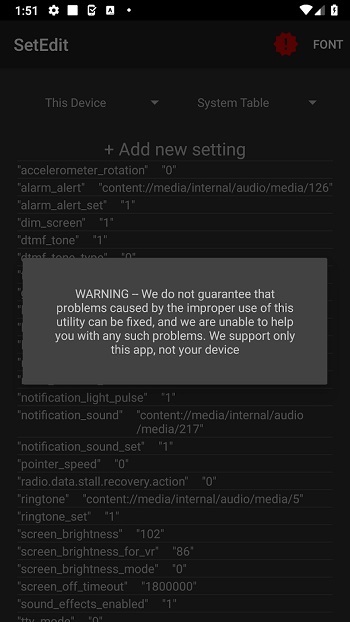
SetEdit is a mobile utility app built for Android users who want direct access to system configuration data. Developed by 4A, it works as a settings database editor that allows users to view and modify key-value entries inside Android’s internal settings tables. These values control many behaviors on a device, from system features to hidden configuration switches that typical settings menus never display.
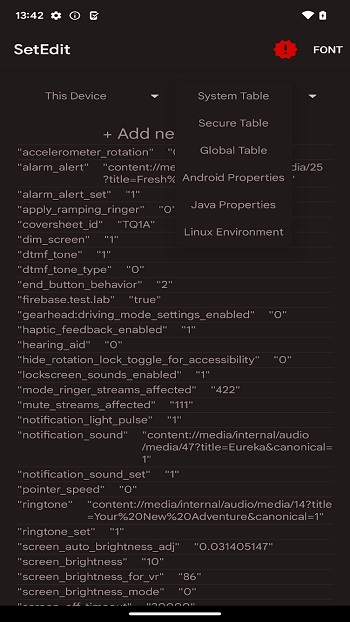
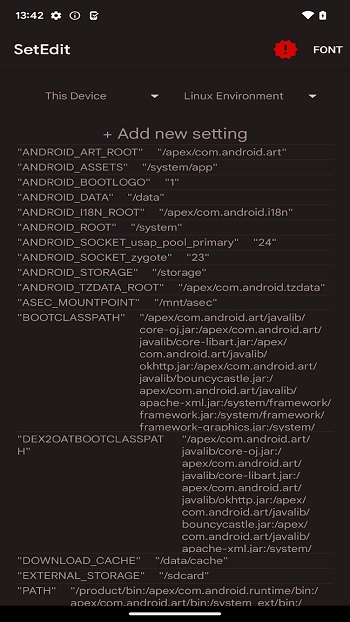
The main purpose of SetEdit is simple: it gives users a way to adjust Android settings at a deeper level. Inside the app, you can browse tables such as System, Secure, and Global, which store important device parameters. Each entry appears as a key paired with a value. Changing that value can alter how a feature behaves. For people who understand these entries, the app becomes a quick way to apply tweaks or test changes without digging through complex system files.
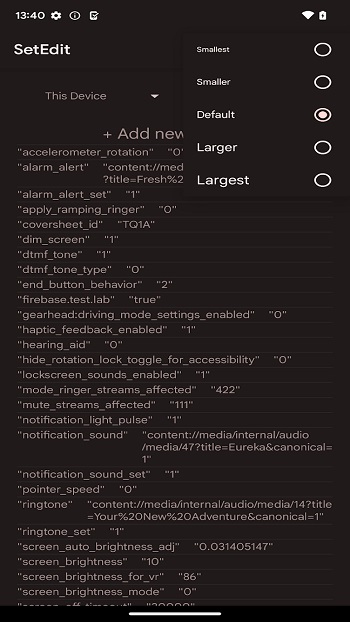
The interface focuses on speed and clarity. When you open SetEdit, it presents a straightforward list of settings entries that can be searched or edited in seconds. Many users rely on it after installing a new ROM, testing device tweaks, or adjusting hidden options that are not available in standard Android menus. Changes usually apply immediately, which makes it easy to test results and refine settings quickly.
Another useful capability involves editing restricted tables when special permission is granted. Modern Android versions lock certain databases for safety. Through an ADB command, users can grant the WRITE_SECURE_SETTINGS permission so the app can modify Secure or Global entries. Advanced users sometimes combine this with debugging tools to fine-tune device behavior across multiple settings at once.
The biggest advantage of SetEdit is direct control. Instead of waiting for manufacturers to add options, users can adjust values themselves. Developers, modders, and tech enthusiasts often rely on tools like this to test features, troubleshoot behavior, or apply small adjustments that improve device performance or usability.
That level of control also brings risk. Editing unknown entries can break system features, cause apps to malfunction, or create unstable behavior. The tool assumes the user understands what each value does. Because of that, SetEdit works best for experienced Android users who are comfortable researching settings before changing them.
This app fits situations where someone needs fine-grained device customization or troubleshooting tools. Android developers, power users, and people experimenting with system tweaks tend to benefit the most. Casual users may still browse the database to learn how Android stores configuration data, but editing values requires caution and a clear understanding of what each change affects.
FAQs SetEdit
What is SetEdit used for on Android?
+
SetEdit is a utility app that lets users view and edit Android settings stored in internal system databases. These entries control hidden configuration values that standard menus do not show.
How does SetEdit change Android system settings?
+
The app displays settings as key-value pairs inside System, Secure, and Global tables. Users can edit these values directly, and the device usually applies the changes immediately.
Do you need special permissions to use SetEdit fully?
+
Yes. Editing Secure and Global tables often requires the WRITE_SECURE_SETTINGS permission, which can be granted through an ADB command on a connected computer.
Can SetEdit damage your Android device?
+
Incorrect changes can cause system features or apps to stop working properly. Many users record the original values before editing so they can restore them if something goes wrong.
Who should use SetEdit on Android?
+
The app is mainly intended for developers, modders, and advanced users who understand Android configuration settings and want deeper control over device behavior.
Discover More Interesting Apps
-
 Mod
Mod
Multi App
v2.10.8
37.29 Mb
Updated -
Privacy Display
v1.8.9
10.08 Mb
Updated -
AGC ToolKit Pro
v7.6.13
49.00 Mb
Updated -
APK Editor Pro
vv50.0.3
14.43 Mb
Updated -
Mod
LagoFast Mobile
v1.33.2
89.86 Mb
Updated -
GlobeOne
v1.24.0
148.00 Mb
Updated -
Rethink
vv0.5.6
72.82 Mb
Updated -
PGT+
v0.25.9
6.00 Mb
Updated -
Mod
MacroDroid
v5.66.9
95.37 Mb
Updated -
Mod
PDownloader
v1.0.32
107.43 Mb
Updated










Share Your Thoughts